Analytics that explain why people call, bounce, or disappear.
Most shop websites only show pageviews. That is not enough. You need to know where visitors hesitate, what sections they skip, and whether the calls came from Google Ads, SEO, or your Google Business Profile.
Click heatmaps
See which buttons, phone numbers, forms, reviews, and service links get attention. If people are clicking dead areas or missing your CTA, we fix the layout.
Scroll depth
Find out how far visitors get before they leave. This helps us move the strongest proof, warranty language, and phone CTA higher on the page.
Call and form source
Match calls and form leads back to campaign, keyword, page, and device so you can stop guessing which marketing is working.
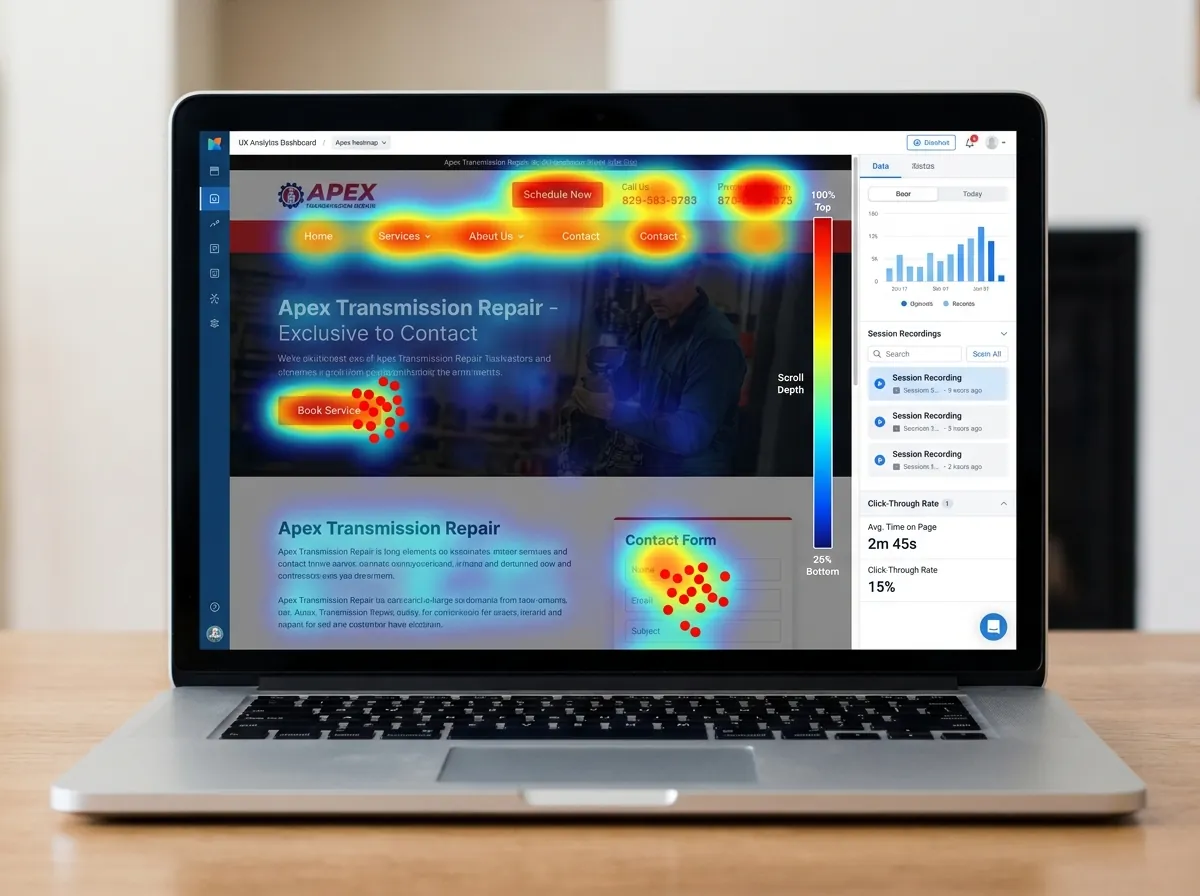
The clicks tell us what the page copy cannot.
A heatmap makes weak spots obvious: ignored phone numbers, forms nobody finishes, proof sections people skip, and buttons that get clicks but do not create calls.
- Move the highest-value CTA into the visitor's natural path.
- Compare mobile behavior against desktop before spending more.
- Turn monthly reports into specific page changes, not vague charts.
Transmission customers are stressed. Your site has seconds to earn the call.
A visitor with a slipping transmission is not casually browsing. If the page feels confusing, slow, generic, or hard to trust, they hit back and call the next shop.
Better landing pages
- Move phone CTAs where visitors actually look
- Show rebuild, repair, and diagnostic proof sooner
- Remove sections people ignore
Cleaner ad spend
- Spot pages that waste paid clicks
- Compare mobile and desktop behavior
- Fix weak forms before scaling campaigns
Monthly improvements
- Review heatmap findings monthly
- Prioritize the changes most likely to lift calls
- Keep one shop per market protected
Want to know what your website visitors are actually doing?
Send over your site and market. We will tell you what we would track first, what looks leaky, and whether heatmaps should be part of your package.
Text Me My Site →